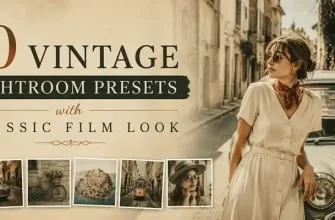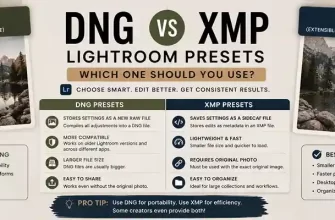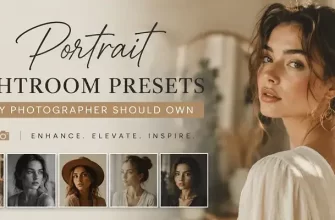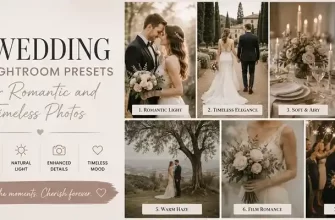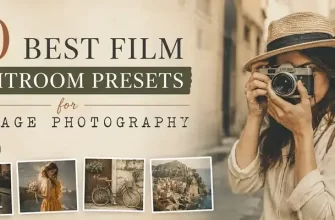
Some photos feel better when they look a little less digital. Warm colors, faded blacks, softer contrast and subtle film grain can give a modern photograph the atmosphere of an older photograph. You can create this effect manually in Lightroom, but Vintage Lightroom Presets offer a simpler starting point when you want to explore a retro or analog-inspired style.
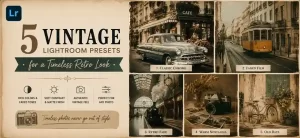
A good vintage edit is about more than adding a yellow or orange tint. The look can come from several elements working together: muted colors, lifted blacks, reduced contrast, subtle grain and carefully controlled color tones.
The right preset can also depend on the type of photo you’re editing. A vintage portrait may benefit from warm, soft tones, while a landscape may work better with deeper colors and more visible texture.
In this guide, we’ll look at five vintage Lightroom preset collections and the types of photography they may suit best. We’ll also cover how to choose a vintage preset and how to fine-tune the effect so your photos still look natural.
- What Makes a Vintage Lightroom Look?
- Faded Blacks
- Soft Contrast
- Muted Colors
- Film Grain
- Warm or Cool Color Casts
- How to Choose a Vintage Lightroom Preset
- 1960s Retro
- Warm Vintage
- Classic Vintage
- Vintage Vibe
- Vintage Landscape
- 5 Vintage Lightroom Presets to Try
- 1960s Vintage Lightroom Presets
- What’s Included
- Suitable For
- Editing Tip
- 10 Vintage Lightroom Presets
- What’s Included
- Suitable For
- Editing Tip
- VINTAGE Lightroom Presets
- What’s Included
- Suitable For
- Editing Tip
- 20 Vintage Vibe Lightroom Presets
- What’s Included
- Suitable For
- Editing Tip
- Vintage Landscape Lightroom Presets
- What’s Included
- Suitable For
- Editing Tip
- How to Get a Natural Vintage Look in Lightroom
- 1. Start With a Balanced Photo
- 2. Apply the Vintage Preset
- 3. Check Exposure
- 4. Adjust White Balance
- 5. Watch Skin Tones
- 6. Fine-Tune Contrast
- 7. Keep Grain Subtle
- Vintage Lightroom Presets for Different Types of Photography
- Portraits
- Weddings
- Lifestyle Photography
- Travel Photography
- Landscapes
- Why Does the Same Vintage Preset Look Different on Every Photo?
- Lighting
- Exposure
- White Balance
- Camera Profile
- RAW vs JPEG
- How to Keep a Consistent Vintage Look Across a Photo Series
- Choose One General Style
- Use a Similar Starting Preset
- Adjust Each Photo Individually
- Compare the Series Together
- Vintage Lightroom Presets: Which One Should You Choose?
- Vintage Editing Checklist
- Frequently Asked Questions About Vintage Lightroom Presets
- What are vintage Lightroom presets?
- Do vintage Lightroom presets work with portraits?
- Can I use vintage Lightroom presets on landscape photos?
- Do vintage presets work better with RAW or JPEG files?
- Will a vintage preset make every photo look the same?
- Can I adjust a vintage Lightroom preset after applying it?
- How do I keep skin tones natural with a vintage preset?
- Can I use one vintage preset for an entire photo series?
- Are vintage Lightroom presets suitable for Instagram photos?
- How do I choose the right vintage Lightroom preset?
- Final Thoughts
What Makes a Vintage Lightroom Look?
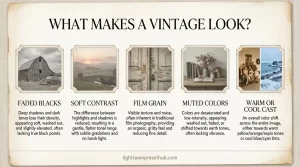
Vintage photography can take many different forms, but several visual characteristics appear frequently in retro and film-inspired edits.
Faded Blacks
Instead of deep, solid blacks, vintage edits often use slightly lifted shadows and softer dark tones. This can make an image feel less contrast-heavy and more similar to an older print or film photograph.
Soft Contrast
Strong digital contrast can make an image look crisp and modern. Reducing contrast slightly can create a softer, more relaxed appearance.
Muted Colors
Vintage photography often uses less intense colors than modern digital photography. Reds, greens and blues may appear slightly subdued rather than highly saturated.
Film Grain
Subtle grain can add texture and help create an analog-inspired appearance. The key is moderation. Too much grain can make a photo look intentionally distressed rather than naturally vintage.
Warm or Cool Color Casts
Some vintage styles lean warm and golden, while others use cooler or more muted tones. The best choice depends on the atmosphere you’re trying to create and the original lighting in the photograph.
How to Choose a Vintage Lightroom Preset
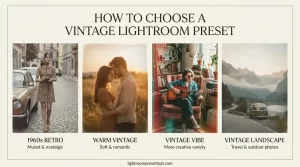
There isn’t one single vintage style that works for every photograph. Before choosing a preset, think about the mood and type of photography you want to edit.
1960s Retro
A 1960s-inspired preset can work well when you want muted colors, gentle contrast and a nostalgic character.
Warm Vintage
Warm vintage presets can be useful for portraits, weddings and lifestyle photography where you want a softer and more romantic atmosphere.
Classic Vintage
A more general vintage preset can be a practical choice for everyday photography when you want to give different images a consistent retro character.
Vintage Vibe
Collections with multiple variations can be useful when you want to experiment with different levels of warmth, exposure and contrast while staying within the same overall aesthetic.
Vintage Landscape
Landscape-specific vintage presets can be useful for travel and outdoor photography, where color, sky, greenery and texture play an important role.
5 Vintage Lightroom Presets to Try
The five collections below cover several different approaches to vintage editing, from 1960s-inspired portraits to landscape photography.
1960s Vintage Lightroom Presets
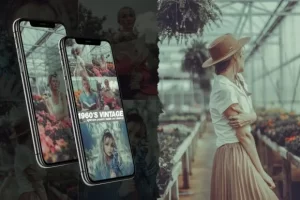
The 1960s are strongly associated with muted colors, softer contrast and the distinctive texture of film photography. This collection is designed around that general retro aesthetic and can be a good starting point when you want modern digital images to feel more nostalgic.
The collection includes six presets with soft retro tones and a vintage-inspired color treatment.
What’s Included
| Format | Files | Use |
|---|---|---|
| DNG | 6 mobile presets | Lightroom Mobile |
| LRTEMPLATE | 6 desktop presets | Lightroom desktop |
| ATN | 6 Photoshop actions | Photoshop editing |
Suitable For
- Portrait photography
- Weddings and family photography
- Lifestyle content
- Home and interior photography
- Vintage-inspired social media feeds
The different formats make the collection useful if your workflow includes both Lightroom and Photoshop.
Editing Tip
For portraits and wedding images, check skin tones after applying the preset. If the vintage effect makes the skin too warm or saturated, reduce the relevant color adjustments until the result looks natural.
10 Vintage Lightroom Presets
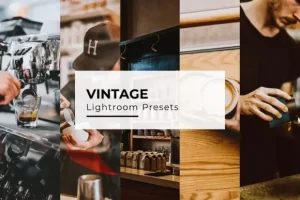
If you want more variety within a general vintage aesthetic, this collection includes 10 desktop presets and 10 mobile presets.
The presets are intended for a range of photography and can be used as starting points for portraits, lifestyle images, social media content and other everyday photographs.
What’s Included
| Format | Files | Compatibility |
|---|---|---|
| Desktop presets | 10 | Adobe Lightroom 4 and above |
| Mobile presets | 10 | Lightroom Mobile iOS & Android |
Having multiple variations gives you an opportunity to compare different vintage treatments before deciding which one works best with a particular image.
Suitable For
- Portraits
- Lifestyle photography
- Blog photography
- Social media content
- Projects containing many similar images
Editing Tip
When editing a series of photographs, try choosing one preset as your starting point and then make small adjustments to exposure and white balance for individual images. This can help maintain a consistent visual style without forcing every photograph to look identical.
VINTAGE Lightroom Presets
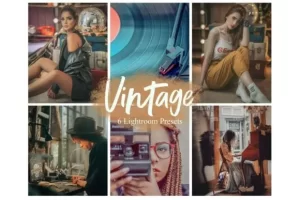
This collection focuses on a warm and romantic interpretation of vintage photography.
It includes six presets and is particularly suitable for photographers and creators who want softer colors and a nostalgic atmosphere rather than a strong or heavily stylized film effect.
What’s Included
| Format | Files | Compatibility |
|---|---|---|
| DNG | 6 mobile presets | Lightroom Mobile iOS & Android |
| XMP | 6 desktop presets | Lightroom Desktop |
| Installation guide | Setup instructions |
Suitable For
- Portrait photography
- Weddings
- Lifestyle photography
- Romantic content
- Warm vintage-style social media feeds
Editing Tip
Golden-hour photographs can already contain warm light, so check the overall color temperature after applying the preset. If the result becomes too warm, a small white-balance adjustment may be enough to bring the image back to a natural appearance.
20 Vintage Vibe Lightroom Presets
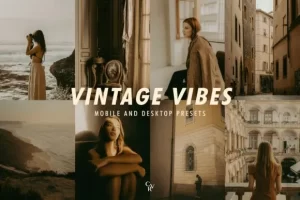
Not every photograph needs exactly the same vintage treatment. This collection includes 20 variations, giving you more options for experimenting with different exposures, tones and overall moods.
The presets are available for both Lightroom Mobile and desktop workflows.
What’s Included
| Format | Files | Compatibility |
|---|---|---|
| DNG | 20 mobile presets | Lightroom Mobile iOS & Android |
| XMP | 20 desktop presets | Lightroom Desktop |
| 2 installation guides | Step-by-step instructions |
Suitable For
- Portraits
- Lifestyle photography
- Travel content
- Instagram photography
- Creative projects requiring multiple vintage variations
The main advantage of having more variations is flexibility. Instead of trying to force one look onto every photograph, you can compare several presets and choose a starting point that better matches the original image.
Editing Tip
Try softer variations for portraits and lifestyle photographs, while stronger color treatments may work better for selected travel or editorial images. After choosing a preset, fine-tune exposure and white balance rather than applying the same settings unchanged to every photograph.
Vintage Landscape Lightroom Presets
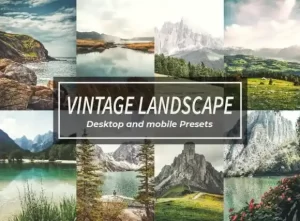
Landscape photography presents different editing challenges from portraits. Skies, greenery, mountains, water and other natural elements can change dramatically when color and contrast are adjusted.
This collection contains eight presets designed specifically around landscape photography and vintage-inspired color treatments.
What’s Included
| Format | Files | Compatibility |
|---|---|---|
| XMP | 8 desktop presets | Lightroom Desktop |
| DNG | 8 mobile presets | Lightroom Mobile iOS & Android |
| Installation guide | Setup instructions |
Suitable For
- Landscape photography
- Travel photography
- Nature photography
- Outdoor content
- Vintage-inspired travel feeds
Editing Tip
After applying a vintage preset to a landscape, pay particular attention to the sky and vegetation. If blues or greens become too strong or muted, make small color adjustments to keep the scene believable while preserving the vintage character.
How to Get a Natural Vintage Look in Lightroom
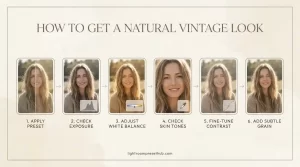
A preset is a starting point rather than a final result. The same preset can look quite different depending on the original exposure, lighting, white balance and camera settings.
A few small adjustments can make a vintage edit look much more natural.
1. Start With a Balanced Photo
Before applying the preset, make sure the original image isn’t severely underexposed or overexposed.
If the base photograph has major exposure problems, the preset may exaggerate them.
2. Apply the Vintage Preset
Apply the preset and look at the image as a whole before making additional changes.
Pay attention to:
- Skin tones
- Shadows
- Highlights
- Saturation
- Overall color temperature
3. Check Exposure
A preset may change the perceived brightness of the photograph.
If the image becomes too dark or too bright, adjust exposure before changing individual colors.
4. Adjust White Balance
Vintage presets often introduce warm or cool color shifts.
If skin or neutral objects look noticeably too yellow, orange or blue, adjust temperature and tint until the overall image feels balanced.
5. Watch Skin Tones
This is particularly important for portrait photography.
A vintage effect should add character without making skin look unnaturally orange, red or gray.
6. Fine-Tune Contrast
If the preset produces very flat shadows, slightly increase contrast or deepen selected tones.
If the image looks too harsh, reduce contrast or soften the highlights and shadows.
7. Keep Grain Subtle
Film grain can help create an analog feeling, but more grain isn’t always better.
Use enough texture to support the vintage aesthetic without distracting from the subject.
Vintage Lightroom Presets for Different Types of Photography
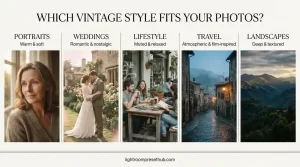
One preset doesn’t necessarily have to work for every type of photograph.
Your choice can depend on both the subject and the mood you’re trying to create.
Portraits
Warm and softer vintage treatments can work well for portraits, particularly when you want an intimate or nostalgic atmosphere.
Always check skin tones after applying the preset.
Weddings
Romantic vintage tones can complement wedding photography, especially when combined with soft natural light and warm surroundings.
Lifestyle Photography
Lifestyle images can benefit from muted colors and moderate contrast, particularly when you’re trying to create a cohesive visual style across a series of photographs.
Travel Photography
Travel images often contain strong colors, bright skies and varied lighting. A vintage preset can help create a consistent visual language across photographs from different locations.
Landscapes
Landscape-specific presets can provide a starting point for adjusting skies, vegetation, mountains and other natural elements while maintaining a retro-inspired style.
Why Does the Same Vintage Preset Look Different on Every Photo?
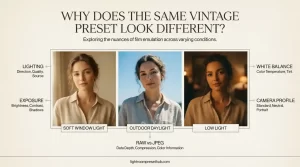
This is one of the most important things to understand about Lightroom presets.
A preset contains a set of editing adjustments. It doesn’t know exactly how your photograph was captured.
Two photos taken with the same camera can still require different adjustments because of changes in lighting, exposure, white balance or subject.
Lighting
A photograph taken during golden hour may already have warm tones. The same preset applied to a photo taken under cool indoor lighting can produce a very different result.
Exposure
A dark photograph and a bright photograph may react differently to the same tonal adjustments.
White Balance
Different lighting conditions can create different color temperatures. A preset that looks balanced on one image may look too warm or too cool on another.
Camera Profile
Camera profiles can affect how colors and tones respond to Lightroom adjustments.
RAW vs JPEG
RAW files generally provide more information for further editing, while JPEG files have already undergone in-camera processing and compression.
For this reason, presets should be treated as a starting point rather than a fixed final look.
How to Keep a Consistent Vintage Look Across a Photo Series
If you’re editing a collection of photographs for a blog, wedding gallery, travel project or social media feed, consistency can be more important than making every individual image look identical.
A simple workflow can help.
Choose One General Style
Start by deciding what type of vintage look you want:
- Warm and romantic
- Muted and faded
- Dark and atmospheric
- Soft and nostalgic
- Landscape-focused
Use a Similar Starting Preset
Choose one or two presets that belong to the same visual style rather than using completely different treatments for every image.
Adjust Each Photo Individually
After applying the preset, make small corrections to:
- Exposure
- White balance
- Highlights
- Shadows
- Saturation
This allows the photographs to remain visually related while still responding to their individual lighting conditions.
Compare the Series Together
Don’t evaluate each photograph only by itself.
Look at the complete series together. A collection can feel more cohesive when brightness, color temperature and contrast are reasonably consistent.
Vintage Lightroom Presets: Which One Should You Choose?
The five collections in this guide have different starting points.
1960s Vintage Lightroom Presets may suit you if you want a recognizable retro atmosphere inspired by the visual character of the 1960s.
10 Vintage Lightroom Presets may be useful if you want a broader collection of vintage variations for general photography.
VINTAGE Lightroom Presets focuses on a warmer, softer and more romantic aesthetic that can work particularly well for portraits and weddings.
20 Vintage Vibe Lightroom Presets gives you more variations to experiment with while keeping the overall vintage direction.
Vintage Landscape Lightroom Presets is the most specialized option of the five, with a focus on landscapes, travel and outdoor photography.
The best starting point depends on your photographs, your preferred color palette and how much variation you want within the vintage style.
Vintage Editing Checklist
Before you finish a vintage Lightroom edit, take a quick look at the following:
- Natural skin tones — especially important for portraits.
- Controlled contrast — avoid overly harsh highlights and shadows.
- Subtle grain — enough to add texture without overwhelming the image.
- Balanced colors — vintage doesn’t necessarily mean heavy yellow or orange tones.
- Consistent look — useful when editing a series of photographs.
A vintage preset should support the photograph rather than completely replace its original character.
Frequently Asked Questions About Vintage Lightroom Presets
What are vintage Lightroom presets?
Vintage Lightroom presets are predefined editing settings designed to give digital photos a retro or film-inspired appearance. They can adjust elements such as color, contrast, shadows, highlights and other settings to create a more nostalgic visual style.
Do vintage Lightroom presets work with portraits?
Yes. Many vintage presets can be used for portraits, especially styles with softer contrast and warm or muted colors. After applying a preset, check the skin tones and make small adjustments to exposure, white balance or color if necessary.
Can I use vintage Lightroom presets on landscape photos?
Yes. Vintage presets can work particularly well with travel and landscape photography. However, landscapes often contain strong greens and blues, so you may need to fine-tune individual colors after applying the preset.
Do vintage presets work better with RAW or JPEG files?
RAW files generally give you more flexibility for making adjustments after applying a preset because they retain more image information. JPEG files can also be edited with Lightroom presets, but the available editing range may be more limited.
Will a vintage preset make every photo look the same?
No. The final appearance depends on the original photograph, including its lighting, exposure, white balance, camera profile and colors. The same preset can therefore produce different results on different images.
Can I adjust a vintage Lightroom preset after applying it?
Yes. Presets are a starting point, not a locked edit. You can adjust exposure, white balance, contrast, highlights, shadows, saturation and other Lightroom settings after applying the preset.
How do I keep skin tones natural with a vintage preset?
Start by checking white balance and exposure. Then look closely at the skin and adjust temperature, tint or relevant color settings if the preset makes the skin appear too warm, orange or red. Subtle adjustments usually work better than trying to completely remove the vintage color treatment.
Can I use one vintage preset for an entire photo series?
You can use the same preset as a starting point for a series, especially when you want a consistent visual style. However, individual photos may still require small adjustments to exposure, white balance and contrast because lighting conditions can vary.
Are vintage Lightroom presets suitable for Instagram photos?
Yes. Vintage presets can be useful for creating a consistent visual style across Instagram photos. For the most cohesive feed, choose presets with a similar color palette and make small adjustments to individual images rather than applying every preset unchanged.
How do I choose the right vintage Lightroom preset?
Consider the type of photography you edit and the mood you want to create. Warm presets may suit portraits and weddings, while muted or atmospheric styles can work well for travel and lifestyle photography. Landscape-specific presets can be useful when most of your images are outdoor scenes.
Final Thoughts
Vintage Lightroom Presets can be a useful way to explore retro and film-inspired photography without recreating every adjustment manually.
The right collection depends on the type of photography you’re editing and the mood you want to create. Some presets lean toward warm and romantic colors, while others offer muted tones, stronger variation or a more specialized landscape treatment.
Whichever collection you choose, remember that a preset is only a starting point. Exposure, white balance, lighting and the original colors of your photograph all affect the final result.
For the most natural-looking vintage edit, apply the preset first, then make small adjustments to fit the individual photograph.
.
Browse all vintage preset collections: → All Vintage Lightroom Presets
→ Free vs Paid Lightroom Presets: Is It Worth Upgrading? → DNG vs XMP Presets: Which One Should You Use?
This post may contain affiliate links. If you make a purchase through one of these links, we may earn a small commission at no extra cost to you. See our [Affiliate Disclosure] for details.